

- Haber Akışı
- KEŞFEDIN
- Sayfalar
- Etkinlikler
- Bloglar
-
 Hakkımızda
Expert Tips to Convert Logo to BAi Embroidery File Successfully
Introduction
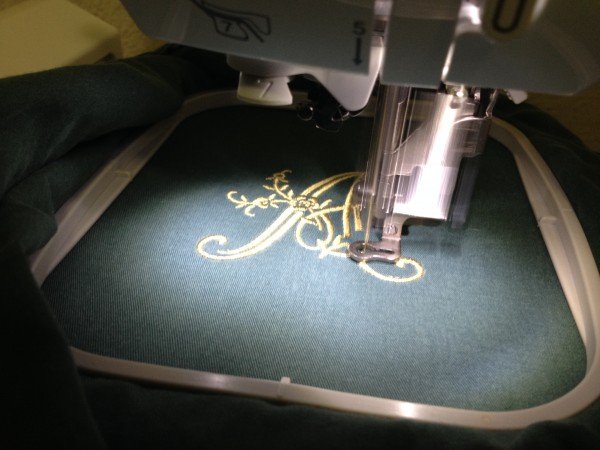
You're standing in front of your BAi embroidery machine, ready to run a big order. The client's logo looks perfect on screen. You hit start, and within minutes, thread snaps, fabric puckers, and that beautiful logo turns into a mess. We've all been there. The problem isn't your machine—it's the file you're feeding it. When you Convert Logo to BAi Embroidery File, you're doing more than just changing formats. You're engineering the blueprint for every stitch your machine will make. Get it right, and your BAi hums along producing flawless work. Get it wrong, and you're looking at wasted materials and missed deadlines. After years of watching what works and what doesn't, I've gathered some expert tips that'll save you time, money, and frustration.
Know What Your BAi Actually Needs
First things first. Your BAi machine speaks two languages fluently: DST and DSB. That's it. Not JPG, not PNG, not even PES. Just DST and DSB.
DST is the universal language of embroidery. Every commercial shop in the world can use it. It's reliable, efficient, and works beautifully on BAi machines. DSB is the Barudan format, also supported, with slightly better color handling for complex designs.
Here's the thing most people miss: DST files don't store color information. They store color change commands. So when you load a DST file, your BAi knows when to stop and wait for a thread change, but it doesn't know what color thread should go there. That's why good digitizing includes clear instructions about thread colors—either in the file name, a separate document, or by using DSB if your machine supports it.
Tip 1: Start With Artwork That Actually Works
I can't stress this enough. The quality of your final embroidery depends almost entirely on the quality of your starting image. Garbage in, garbage out applies here more than anywhere.
If you have vector artwork (AI, EPS, PDF), use it. Vectors are made of mathematical paths, not pixels. They scale infinitely without losing sharpness. Your digitizer can trace clean lines instead of guessing at fuzzy edges.
If all you have is a JPG or PNG, make sure it's high resolution—at least 300 DPI at the size you want to stitch. And here's a pro tip: open it in any photo editor and crank up the contrast. Make those edges stark and clear. Remove any background clutter. The cleaner your source, the cleaner your stitches.
Tip 2: Understand the Fabric Before You Digitize
This is where beginners mess up and experts shine. The same logo needs completely different digitizing depending on what you're stitching it on.
A structured cap is rigid and curved. It needs special handling so the design doesn't distort around the crown. A stretchy polo shirt pulls in all directions. It needs extra underlay and adjusted pull compensation. A fleece jacket has nap and thickness. It needs wider stitch density so stitches don't disappear into the fabric.
Before you convert anything, know exactly what you're stitching on. Tell your digitizer the fabric type, the garment style, and the exact placement. This information changes everything about how the file should be built.
Tip 3: Density Isn't "More Is Better"
This might be the most common mistake I see. People think more stitches mean better coverage. Actually, the opposite is true.
Too many stitches in one area create a stiff, board-like patch that feels terrible and can actually damage fabric. Too few stitches, and you'll see fabric peeking through. The sweet spot is the minimum density that gives solid coverage.
For most fabrics, 0.40 to 0.45mm spacing for fill stitches works beautifully. For satin stitches, pay attention to the width. Anything over about 12mm wide in satin stitch will likely need special handling or conversion to fill stitches.
Tip 4: Underlay Is Your Secret Weapon
Underlay stitches are the foundation nobody sees but everyone feels. They're the first stitches laid down, and they do three critical things: they stabilize the fabric, they prevent puckering, and they give your top stitches something solid to sit on.
Different fabrics need different underlay. For stable wovens, a simple edge run might be enough. For stretchy knits, you'll want a center run followed by a zigzag fill. For caps, you need specialized underlay that accounts for the curved surface and the tension of the cap frame.
If you're outsourcing your digitizing, ask about underlay. A good digitizer will have specific underlay strategies for different applications. If they look confused by the question, run the other way.
Tip 5: Pull Compensation Keeps Shapes Honest
Here's a physics lesson: thread under tension pulls fabric. When your machine stitches, it's constantly pulling the fabric slightly toward the center of the design. A perfect circle in your digital file will sew as an oval unless you compensate.
Pull compensation means slightly oversizing shapes so they contract into the correct dimensions when stitched. The amount of compensation depends on your fabric—stretchy materials need more, stable fabrics need less.
For BAi machines running at commercial speeds, proper pull compensation isn't optional. It's essential. Without it, your logos will consistently look "off" in ways you can't quite explain.
Tip 6: Watch Your Stitch Lengths
Stitch length matters more than most people realize. Running stitches that are too long can snag. Satin stitches that are too short can create unnatural texture.
For most applications, keep your stitch length between 2mm and 4mm for fill stitches. For satin stitches, the length should match the width of the column—too short and you get a weird texture, too long and you risk snagging.
And here's something specific to BAi machines: they run fast. At 1,000 stitches per minute, long stitches have more momentum and are more likely to catch. Keep things moderate.
Tip 7: Sequence Matters for Speed and Quality
The order in which your machine sews affects both how the design looks and how fast it runs. Good sequencing groups all the elements of one color together, sews from the background to the foreground, and minimizes jump stitches.
Jump stitches are those threads that travel across the back of your design between elements. Too many jumps create a messy back that can snag and cause problems later. Good sequencing minimizes them naturally.
When you get a file from a professional, open it in viewer software and watch the stitch simulation. You should see a logical flow—needle moving efficiently, colors changing only when necessary, no wild jumps across empty space.
Tip 8: Test Like Your Production Depends On It
Because it does.
Never, ever take a file from conversion straight to full production. Always run a test stitch on the exact fabric you'll use, with the exact stabilizer, at the speed you'll run.
Here's what to look for:
Puckering means underlay issues or density problems. Thread breaks during the test mean the file will cause constant interruptions during production. Blurry details mean stitch types or sizing need adjustment. Registration errors mean something's off in the sequencing or compensation.
If you see any of these, go back and fix them before you stitch another piece. One test stitch costs pennies. Fifty ruined shirts cost hundreds.
Tip 9: Know When to Call the Pros
Look, I'm all for learning and doing things yourself. But digitizing for commercial production on BAi machines is a specialized skill. The software costs thousands. The learning curve takes months. The mistakes cost real money.
There's no shame in partnering with professionals who do this every day. Companies like Absolute Digitizing, Digitizing Buddy, Cool Embroidery Design, and Absolute Digitizer have teams of experienced digitizers who know exactly how to build files for BAi machines. They understand DST and DSB formats, they know how different fabrics behave, and they've digitized thousands of logos just like yours.
For the cost of a few files, you get guaranteed results without the headache of learning it yourself. That's not an expense—it's an investment in your sanity and your production quality.
Tip 10: Build a Relationship With Your Digitizer
If you find a digitizing service that delivers consistently good work, stick with them. Over time, they'll learn your preferences, understand your common fabrics, and know exactly how you like files delivered.
This relationship saves time on every order. Instead of explaining everything from scratch each time, you just send the artwork and say "same as always." They know your machine, your settings, your expectations.
Absolute Digitizing, for example, has been around since 1999. They've built long-term relationships with shops across the country because they deliver consistently and they're easy to work with. That consistency is worth more than saving a few dollars on a random freelancer.
Conclusion
When you Convert Logo to BAi Embroidery File, you're doing the most important work of your entire production process. Every stitch your machine makes, every garment you deliver, every client who loves your work—it all traces back to that file.
Take it seriously. Start with quality artwork. Understand your fabric. Respect the technical details of density, underlay, and pull compensation. Test before you produce. And don't be afraid to bring in experts when you need them.
Your BAi machine is a powerful tool. Give it powerful files, and there's nothing you can't create.
